Overview
Producing content at scale across YouTube and Instagram in five languages means dozens of people touching every video: writers, voice artists, editors, designers, and managers. Then, once a video is live, someone has to read what it did. Spreadsheets and chat threads survive neither job. ContentFlow is the internal platform I built to run the whole operation in one place — the production work, and the numbers that follow it.
The team knows the analytics side as Content Nexus. It isn't a separate tool but the command centre inside the same platform, sharing one login, one set of roles, and one set of permissions.
| Language | Language | Language | Language | Language |
|---|---|---|---|---|
| Telugu | Hindi | Tamil | Marathi | Kannada |
The Pipeline
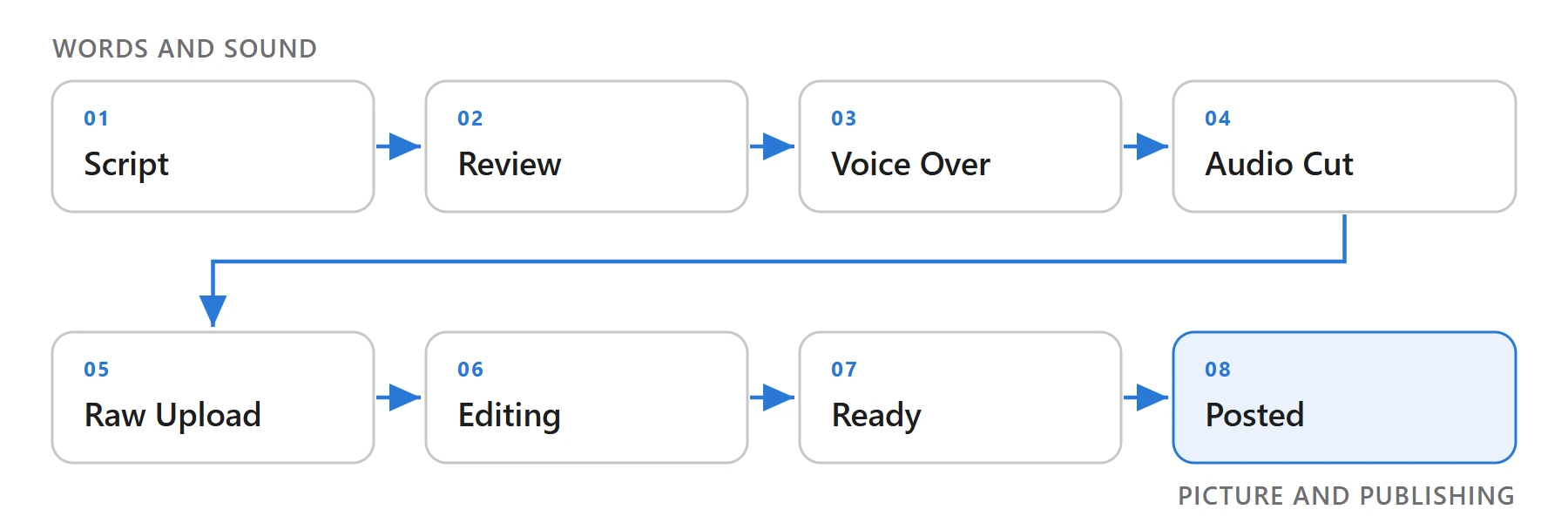
Every piece of content moves through eight stages, from the first draft of the script to the posted video — Script, Review, Voice Over, Audio Cut, Raw Upload, Editing, Ready, Posted. Each stage has an owner, and every handoff is recorded instead of lost in chat.
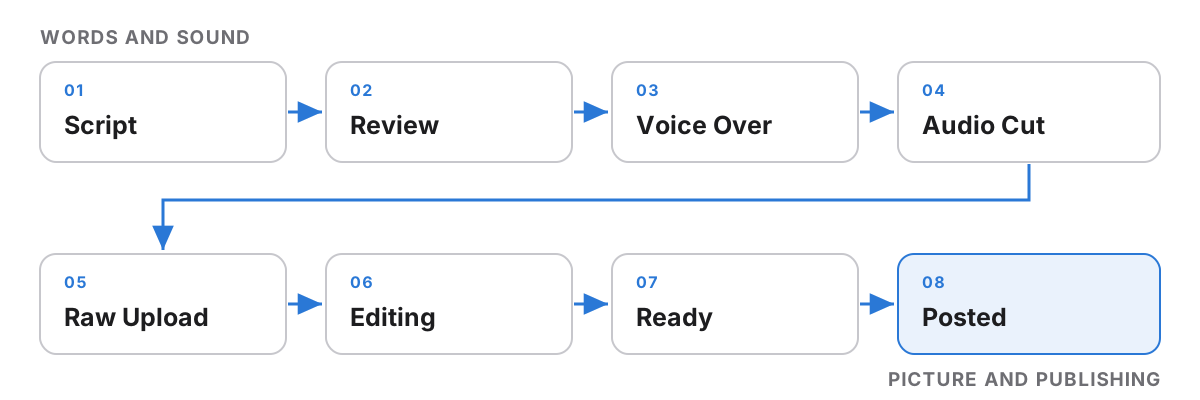
The pipeline is visible on a shared content calendar, filterable by channel and by status, so anyone can see what's stuck and where.
Key Decision: A Dashboard per Job
One dashboard trying to serve everyone ends up serving no one: a voice artist doesn't need channel analytics, and a manager doesn't need the recording queue. So ContentFlow ships 30+ purpose-built views, and each role sees exactly the screens, actions, and data its job needs.
| Role | What they need from the platform |
|---|---|
| Writer | Scripts to write and review notes |
| Voice Artist | Scripts ready to record and studio slots |
| Editor and Editing Manager | Raw uploads to edit, and what's due |
| Graphic Designer | Thumbnails and assets to make |
| Manager | Status across the pipeline and the team |
| Central Team and Admin | Every channel and language, and roles |
Access by Role, Language, and Region
Role-based access control decides what each person can see and do, and everything is also scoped by language and region. A Telugu editor sees Telugu work; a Hindi manager sees Hindi channels. The same permission model carries straight into the analytics side, which is why outside collaborators can be let into the numbers without being let into everything.
| Scope | What it limits |
|---|---|
| Role | Which screens and actions a person has |
| Language | Which language's content they work on |
| Region | Which channels and teams they see |
The Analytics Command Centre
Once a video is posted, the platform stops tracking work and starts tracking performance. The YouTube Data API feeds a PostgreSQL store, the platform tracks thumbnail click-through, and it watches each video's velocity for anomalies — flagging a video that's suddenly taking off, or stalling, instead of waiting for someone to notice.

| Capability | What it does |
|---|---|
| Live YouTube data | Channel and video metrics through the YouTube Data API |
| Thumbnail CTR tracking | Automatic click-through tracking for every thumbnail |
| Velocity anomaly alerts | Flags videos whose growth suddenly changes |
| Permission tiers | Separates internal teams from outside collaborators |
Key Decision: Permissions as a First-Class Feature
Most analytics tools treat sharing as an afterthought. This operation runs with internal teams and external collaborators side by side, so permission tiers are built into every view rather than bolted on. The numbers a partner can see are a property of their tier, not a report someone remembers to redact.
| Who | What they get |
|---|---|
| Internal team | The full picture across channels and languages |
| External collaborators | Only what their tier allows |
Around the Pipeline
| System | What it does |
|---|---|
| Content calendar | Every video on one calendar, filtered by channel and status |
| Channel analytics | Performance across channels, including live YouTube data |
| Studio booking | Recording slots for voice artists |
| Team management | Roles and access for every member |
Impact
ContentFlow is the operational backbone behind more than 2,000 videos and channels grown past 100,000 followers, with every handoff between roles tracked instead of lost in chat — and every posted video measured in the same place it was made.
| Before | After |
|---|---|
| Spreadsheets and chat threads | One platform |
| Handoffs lost in messages | Every handoff recorded |
| Everyone sees everything | Each role sees its own work |
| Status by asking around | Status on a shared calendar |
| Numbers in scattered YouTube Studio tabs | One analytics command centre |
ContentFlow is an internal platform, so there's no public build or source to link to.